Creator guide
Publish your first Playbook.
A Playbook is a collection of price alerts that other people can subscribe to. Start with a clear description and a small, deliberate selection of alerts.
1. Configure the alerts you want to share
Sign in and create your price alert tiles. Check each market, trigger condition, and notification setting before adding the alert to a Playbook.
2. Create your Playbook
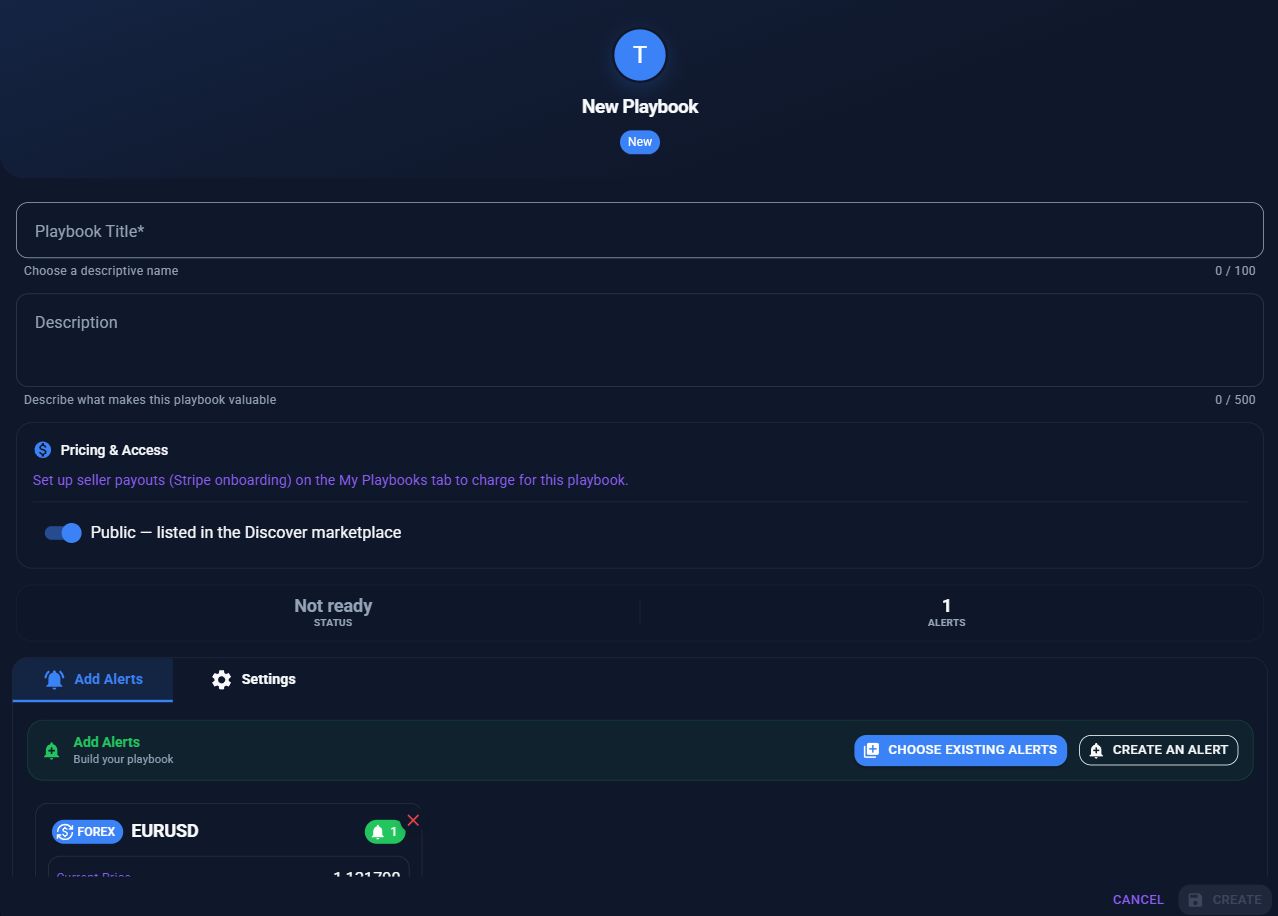
Open Playbooks and create a new Playbook. Fill in Playbook Title and Description. Select the alerts you want to include. Describe your approach and its limitations in language a new follower can understand.
3. Set free or paid access
Choose free access or switch on Paid playbook and set a monthly price. Complete the Stripe payout onboarding shown in the seller interface before accepting paid subscriptions. Review platform fees before choosing a price.
4. Choose who can find it
Public — listed in the Discover marketplace makes an active Playbook discoverable. Unlisted — only people with your share link can find it keeps it out of public listings and search indexing. Anyone you give an unlisted link to can open it, so share it with care.
5. Check the public listing
Save your Playbook and use its Share link to open it in a signed-out or private browser window. Verify the title, description, covered markets, price, and sign-in link. Paid trigger details should stay protected. Your profile has its own privacy setting, separate from publishing a Playbook.
6. Verify the follower experience
For an end-to-end check, use a free test Playbook and a separate follower account. Subscribe, enable a supported notification channel, and verify delivery when a configured alert triggers. For a paid Playbook, read the checkout price and renewal terms before completing a subscription.
Return to your Playbook’s management page to review its settings and use Share to give people the listing URL.